
Connect
Your agent, connected in a minute.
Whysoez works with Claude Code and ChatGPT Codex. The desktop app writes the setup for you, and Disconnect puts everything back as it was.
- 1
Install Whysoez
Windows 10 or 11. It starts a small server on your computer and waits in the tray.
Download for Windows - 2
Sign in
With email or GitHub. The account is free during beta and the app remembers you.
Create a free account - 3
Click Connect
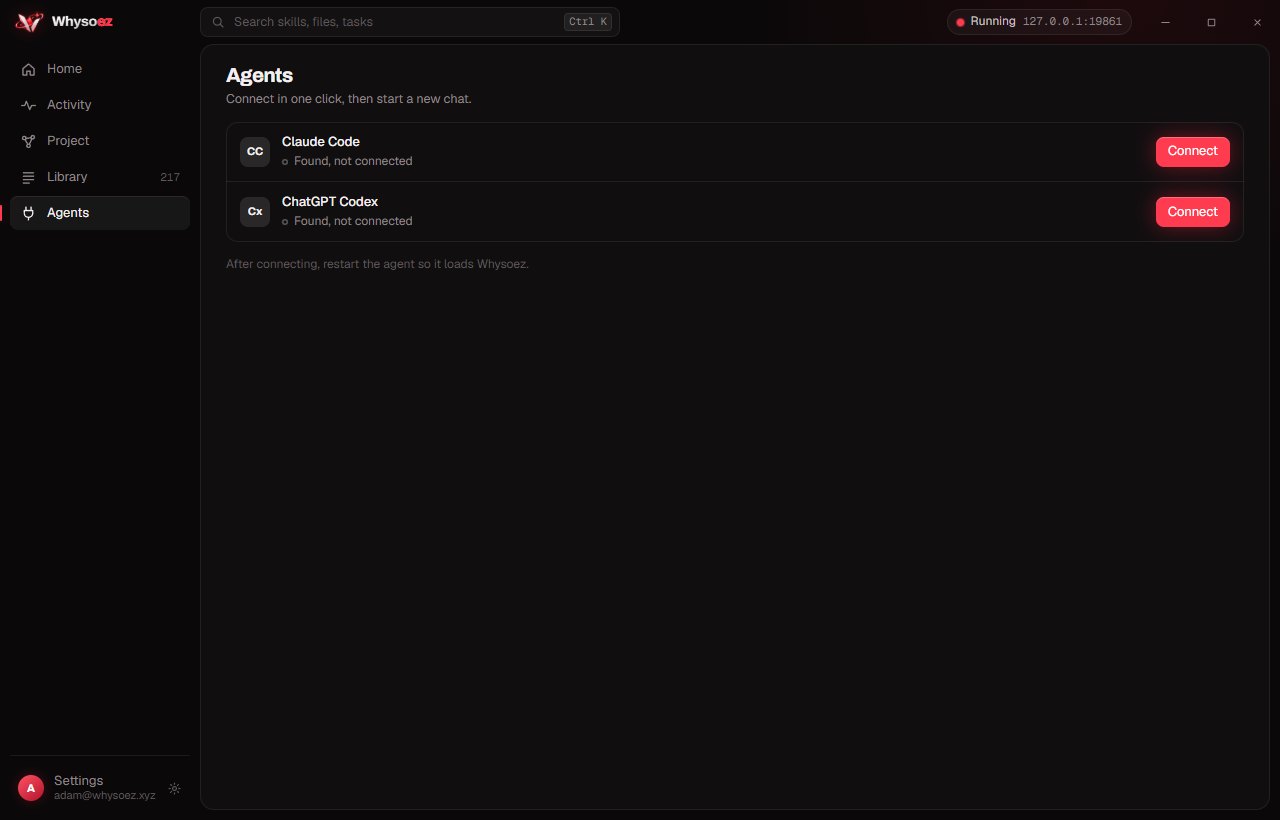
Open Agents in the app and click Connect next to Claude Code or Codex. Then start a new chat in your agent so it loads Whysoez.
Codex asks once to trust the Whysoez hooks: type
/hooksin Codex and approve them.
What the app changes, and what stays yours
Your agent talks to the server on your own computer. Nothing about your code goes anywhere else.
Connect writes
- The Whysoez server entry in your agent's settings
- A short router skill that tells the agent when to ask
- Hooks that route each message and show live work in the app
- For Codex, a few lines in its global instructions
Stays on your computer
- Your files, code and messages
- The project map, memory and activity
- The account service only knows your email, devices and referrals
- Disconnect removes exactly what Connect added
Prefer to set it up by hand?
With the app running, the server is at http://127.0.0.1:8787/mcp. Add it to your agent, then add the router skill.
1. Add the server:
claude mcp add --transport http --scope user whysoez http://127.0.0.1:8787/mcp2. Save SKILL.md as ~/.claude/skills/whysoez/SKILL.md, then run /mcp in Claude Code to check.
1. Add the server:
codex mcp add whysoez --url http://127.0.0.1:8787/mcp2. Save SKILL.md as ~/.agents/skills/whysoez/SKILL.md, then start a new Codex chat.
Questions
Does it slow my agent down?
Barely. A real task makes one short request to your own computer at the start; quick questions and small edits get nothing extra.
Do I have to mention Whysoez in my prompts?
No. Once connected, the hooks route each message for you. Work as usual.
Which agents are supported?
Claude Code and ChatGPT Codex, on Windows 10 and 11.
How do I undo it?
Open Agents in the app and click Disconnect. Your agent's settings go back to how they were before.
Is it free?
Yes, during beta. See planned pricing.